


Follow these simple steps to complete your purchase:
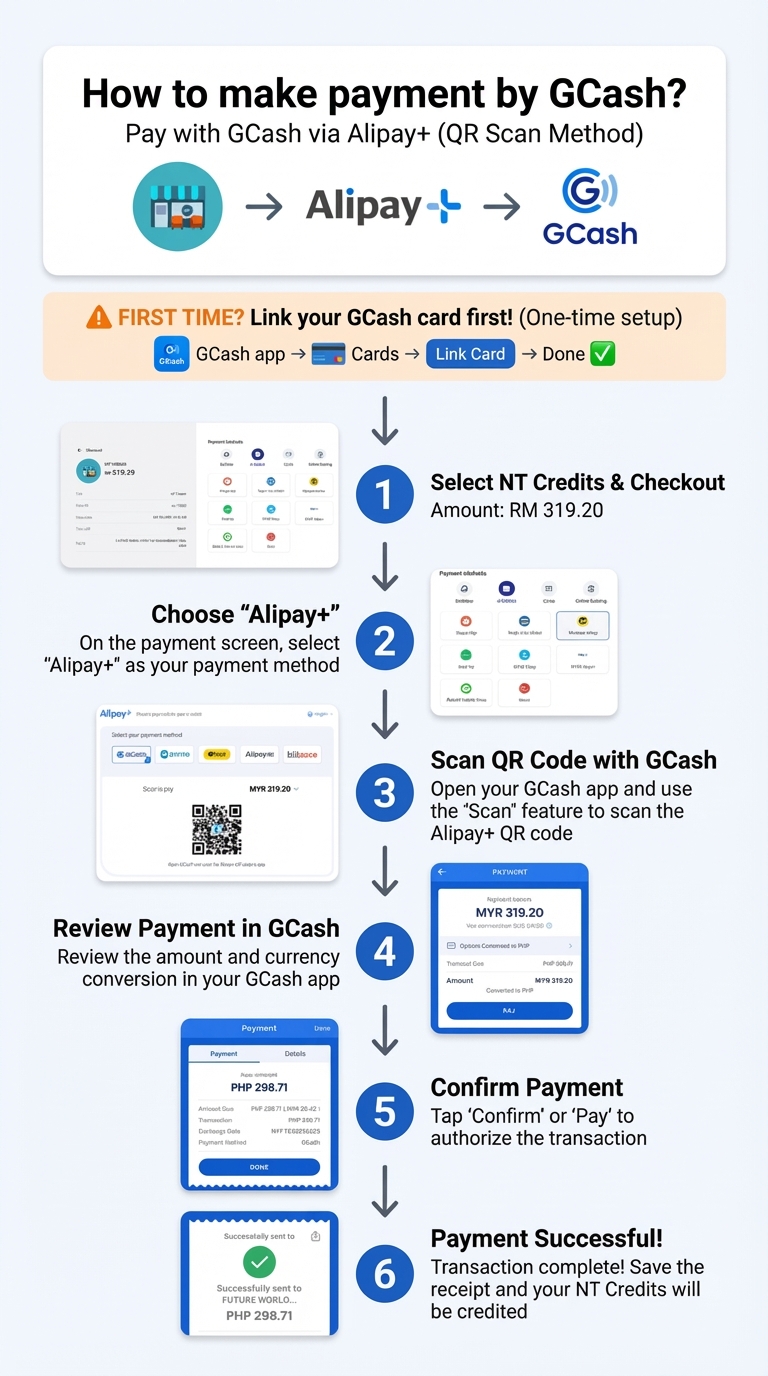
One-time setup required: Link your GCash card in the GCash app before your first payment (GCash app → Cards → Link Card → Done)
Payment steps:
- Select your desired game package or NTCredit and proceed to checkout
- Choose "Alipay+" as your payment method on the payment screen
- Open your GCash app and scan the Alipay+ QR code displayed
- Review the payment amount and currency conversion in your GCash app
- Tap "Confirm" or "Pay" to authorize the transaction
- Transaction complete! Your NT Credits will be credited to your account immediately
Important notes:
- Currency will be automatically converted from MYR to PHP
- Please ensure you have sufficient GCash balance before making payment
- Save your receipt for future reference
For any payment issues, please contact our support team.
User Name One
12 January 2024
User Name One
12 January 2024
User Name One
12 January 2024